Cash Register Parameters
Cash Register Parameters and Settings
Print on Demand
Printing on Demand can be setup on Host or Smartlane registers by navigating to the Register Parameters.
Navigation:
Host Register; POS-3-1
Smartlane; POS-5-3-1
Options:
Y = Suppress printing until the cashier chooses to print
N = Print line at a time
E = Print at the End of transaction
EMAIL = Send email receipts (Host Registers only)
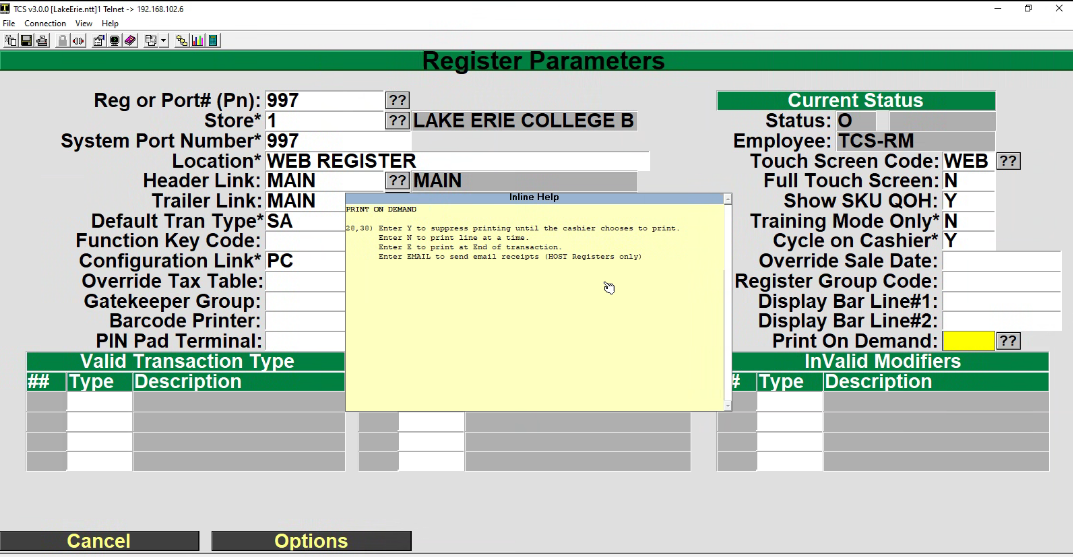
**note: Registers parameters are setup on each register. If they are host based registers the parameters on the host connection are used for the register. If you are setting this parameters for a Smartlane registers they will need to be done on EACH of the registers are parameters can be set differently for each register.